
Keep your sound library synchronized across every Mac and Windows computer.
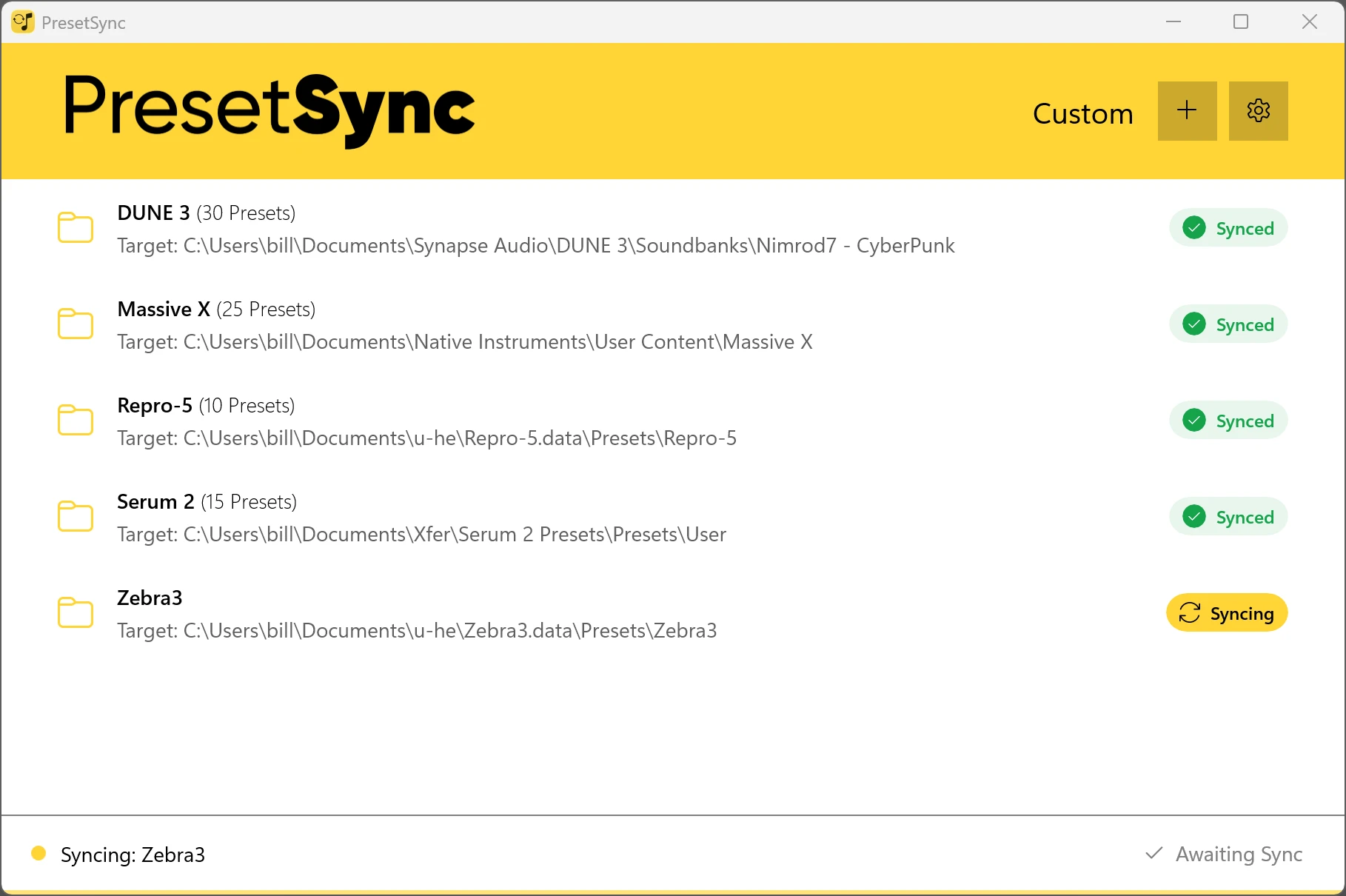
PresetSync keeps your compatible instrument, effect, and application preset folders synchronized across your studio computer, laptop, production room, and other authorized machines.
Stop copying folders manually. Stop wondering which computer has the latest version. Stop rebuilding the same preset library every time you change machines.
Prices include 23% Irish VAT. The final amount may be adjusted at checkout based on your country and selected currency.
Check out the promo video!
Your sound is part of you work
But your presets are scattered everywhere.
A synth preset saved on your studio Mac may not exist on your Windows workstation. A modified effect chain may be trapped on your laptop. A carefully organized collection can quickly become several conflicting versions across different computers.
Ordinary cloud-storage applications do not fully solve the problem.
They synchronize the folders placed inside their cloud directory—not the actual preset folders used by every instrument, plug-in, and creative application.
That leaves you repeatedly:
- Searching for preset locations
- Copying files between computers
- Comparing different folder versions
- Reorganizing the same library
- Recovering presets from old machines
- Trying to remember where the latest version was saved
For individual creators, this interrupts the creative process.
For studios, it creates inconsistency across workstations.
Some of the supported Synths, Effects and DAWs

and thousands more!
Product names, logos, brands, and other trademarks are the property of their respective owners.
Watch the PresetSync Introduction and Setup Guide
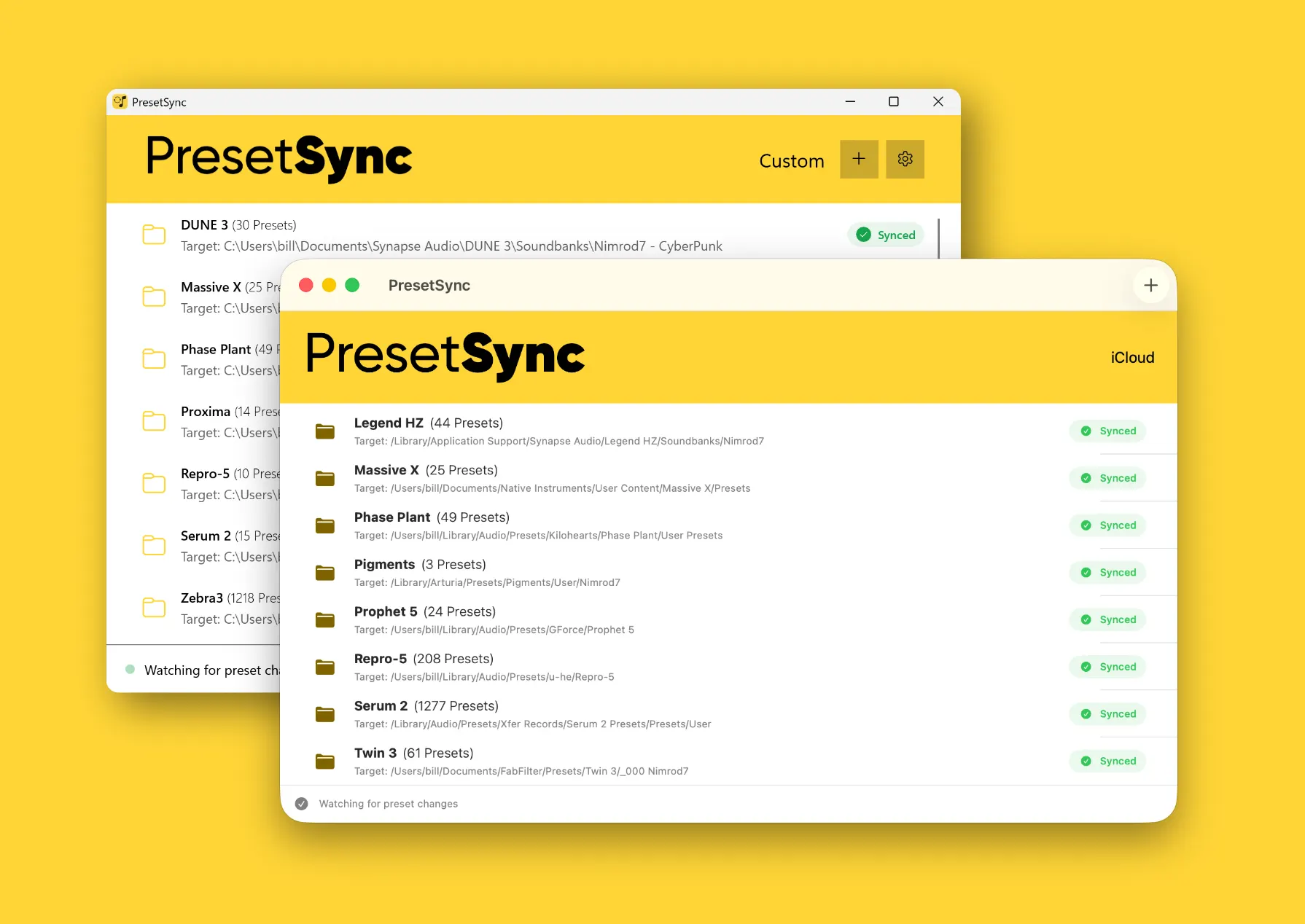
How PresetSync works
1. Create a collection
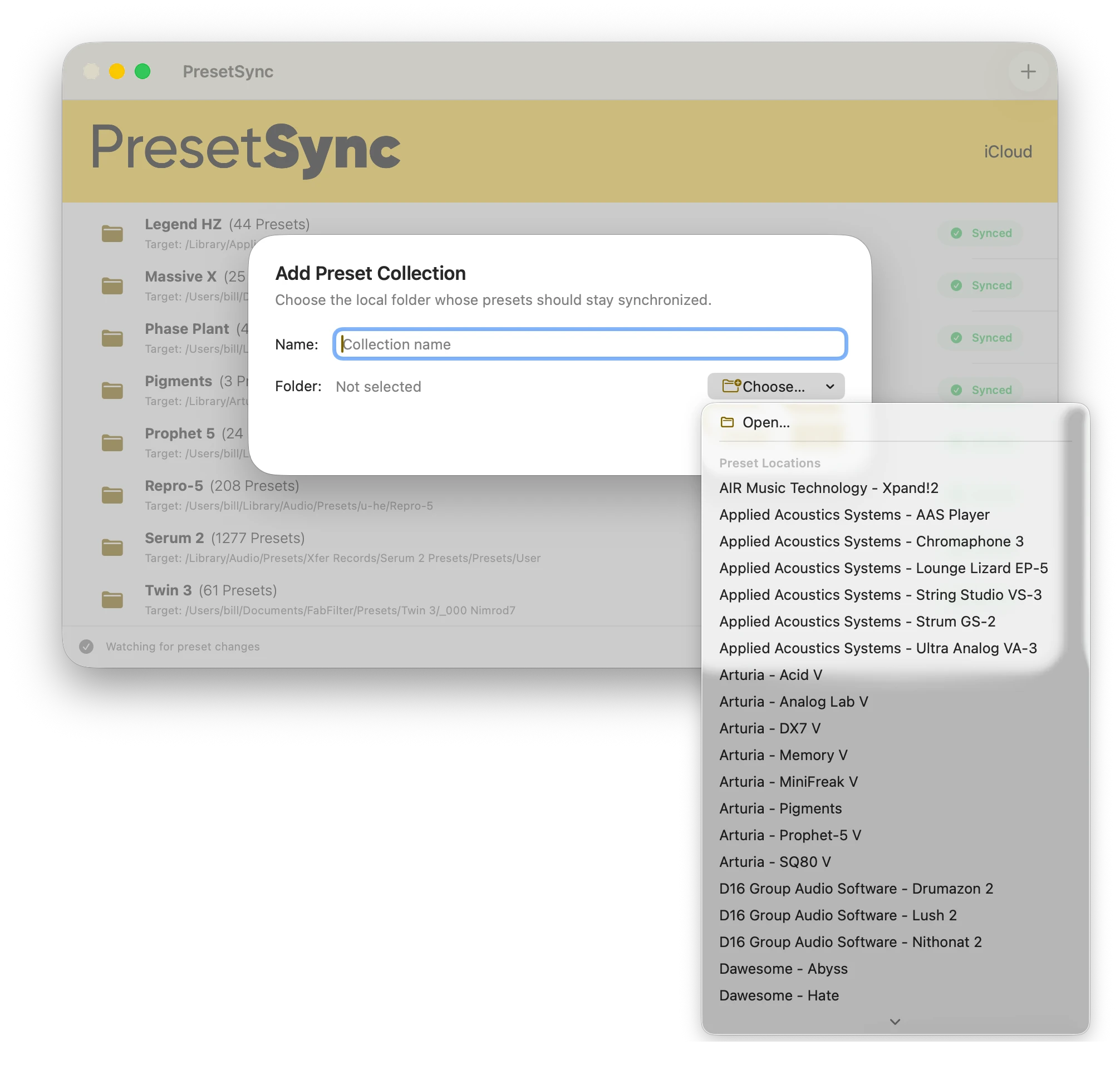
Choose the preset folder or group of preset files you want to keep synchronized.
Organize collections by instrument, plug-in, application, project type, studio, or workflow.
2. Connect your computers
Install PresetSync on each authorized Mac or Windows computer.
Map the collection to the appropriate local preset location on each machine.
3. Keep working
PresetSync handles synchronization between the mapped locations.
When a compatible preset is added or updated, the synchronized collection stays consistent across your connected computers.
Spend less time managing files
Stay in the creative process
Your presets are available where you need them, without interrupting a session to copy folders or search another computer.
Work across macOS and Windows
Use the same synchronized preset collections across mixed-platform environments.
Keep your studio consistent
Maintain the same approved presets, templates, and banks across multiple production computers.
Organize presets your way
Create separate collections for instruments, effects, applications, clients, projects, or studio workflows.
Choose your cloud
Use an existing cloud folder or subscribe to PresetSync Cloud. You are not forced into a recurring subscription simply to use the application.
Keep your local files
Your preset files remain stored on your computers. Ending a PresetSync Cloud subscription does not remove local files.
Built for real production environments
For producers and composers
Move between your main studio, writing laptop, and mobile setup without maintaining separate preset libraries.
For sound designers
Keep custom patches, banks, and evolving sound collections organized across development and production machines.
For mixing and mastering engineers
Maintain consistent application and effect presets across multiple rooms and workstations.
For studios
Standardize selected preset collections across up to ten authorized computers under one Studio licence.
For creators using both Mac and Windows
Map the same collection to the correct platform-specific folder on each operating system.
PresetSync is dedicated to our beloved Milo the Pug | 2011 - 2023
Two ways to synchronize
Cloud Folder
Use storage you already have
Cloud Folder mode connects PresetSync to a synchronized folder managed by your existing cloud-storage provider.
It is suitable when you already pay for cloud storage or prefer to control where your synchronized data is stored.
Included with every PresetSync licence
- No PresetSync Cloud subscription required
- Continues working for the lifetime of your PresetSync licence
- Uses your existing synchronized storage
- Suitable for personal and studio workflows
- Requires a cloud drive folder local to your computer, a shared drive, or a NAS folder.
The availability, capacity, and performance of Cloud Folder mode depend on the third-party storage provider you choose.
Works with DropBox, OneDrive and iCloud
Google Drive is not supported.
PresetSync Cloud
Synchronization without configuring another service
PresetSync Cloud provides managed online storage for your synchronized preset collections.
It is designed for customers who want a direct, integrated setup without managing a separate cloud-storage account.
PresetSync Cloud includes:
- Integrated account-based synchronization
- Private cloud storage
- Monthly or annual billing
- Restoration of cloud access when resubscribing during the retention period
PresetSync Cloud is optional and is licensed separately from the desktop application.
A perpetual desktop licence
PresetSync is a perpetual desktop application.
Purchase the macOS and Windows application once, and use it perpetually on the number of computers included with your licence.
Your licence includes all PresetSync 1.x updates.
No internet connection required after activation.
A future major release, such as PresetSync 2.0, may be offered as a paid upgrade. Your existing version will continue to work.
- Buy Once
- Free 1.x updates
- Keep using it
Personal
For individual producers, musicians, and creators
€49 one time
Includes:
- Perpetual PresetSync desktop license
- macOS and Windows applications
- Up to 3 authorized computers
- Cloud Folder synchronization
- All PresetSync 1.x updates
- Optional PresetSync Personal Cloud
Studio
For professional rooms, teams, and studios
€129 one time
Includes:
- Perpetual PresetSync desktop licence
- macOS and Windows applications
- Up to 10 authorized computers
- Cloud Folder synchronization
- All PresetSync 1.x updates
- Optional PresetSync Studio Cloud
Technical Requirements
macOS
- macOS 14 or later
- Apple Silicon Mac
- Internet Connection
- Intel Macs are not supported
Windows
- Windows 10 version 1809 (build 17763) or later
- x64 or ARM64 processor
- Internet Connection